Last updated: September 2026
You have finally set a laptop budget for college, and now a bigger question shows up before you even pick a model: Windows or Mac? Friends swear by MacBooks, seniors say “just get Windows, the lab software needs it,” and every YouTube video seems to have a different answer. The MacBook or Windows laptop for students debate is confusing mainly because both sides are partly right.
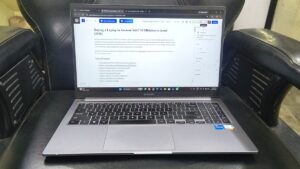
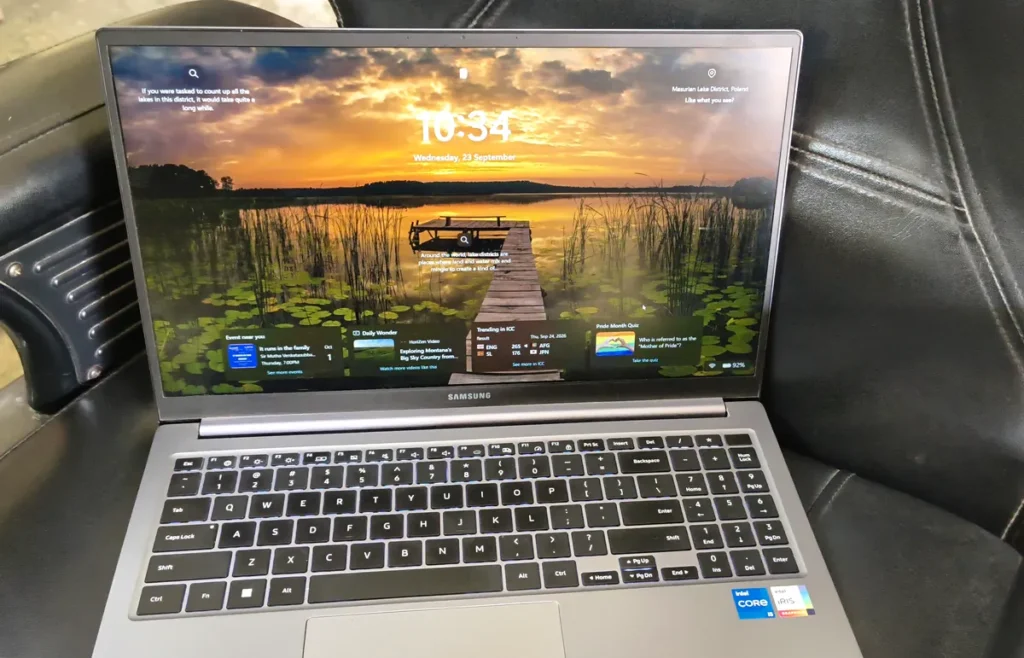
My own daily laptop is a Windows machine, a Samsung Galaxy Book4 Metal that I use for writing, research and running this website. For the macOS side of this guide, I rely on Apple’s official documentation and published reviews rather than claiming hands-on experience I do not have. The goal is simple: help you choose the operating system that fits your course, your budget and the way you actually work, not the one that looks cooler in class.
Disclosure: This article contains Amazon affiliate links. As an Amazon Associate, GearVistaar earns from qualifying purchases, at no extra cost to you.
Table of Contents
Quick Answer: MacBook or Windows Laptop for Students?
For most Indian students, especially in engineering, commerce and CS courses, Windows is the safer choice. It runs almost every college lab tool, costs less for the same RAM and storage, and gives you far more laptop options at every budget. macOS is the better choice if you want to build iPhone apps, already live in the Apple ecosystem, or value battery life, build quality and a quiet, low-maintenance laptop above everything else.
| Choose Windows if you… | Choose macOS if you… |
|---|---|
| Study engineering, commerce or any course with Windows-only lab software | Want to build iPhone or iPad apps with Xcode |
| Have a budget under ₹60,000 | Already use an iPhone and want everything to sync |
| Want 16GB RAM without paying a premium | Care most about battery life and a silent laptop |
| Play games on your laptop | Do design, video or music work on Apple-friendly apps |
| Need HDMI, USB-A and LAN ports without adapters | Prefer a laptop that needs very little maintenance |
Why the Operating System Matters More Than the Brand
Most students start by comparing brands: Dell vs HP, ASUS vs Lenovo, or MacBook vs everything else. But the operating system decides something more important, which is what software you can run for the next four years. A laptop with great specs is useless if your college’s lab software refuses to install on it.
The operating system also decides your price range, your repair options and how much RAM you can afford. That is why the MacBook or Windows laptop for students choice should come first, and the specific model second. Once you know which side you are on, our guide on how to choose a laptop before buying will help you narrow down the exact specs.
College Software: The Deciding Factor for Most Students
This is where the MacBook or Windows laptop for students question is usually settled. Many popular tools work on both systems, but several programs that Indian colleges still use in labs and assignments are Windows-only.
| Software | Common in | Windows | macOS |
|---|---|---|---|
| MS Office (Word, Excel, PowerPoint) | All courses | Yes | Yes |
| Excel Power Pivot and advanced add-ins | Commerce, MBA, analytics | Yes | No |
| Tally Prime | B.Com, accounting | Yes | No |
| Power BI Desktop | Analytics, MBA | Yes | No |
| SolidWorks | Mechanical engineering | Yes | No |
| AutoCAD | Civil, mechanical | Yes (full version) | Yes (Mac version has fewer features) |
| MATLAB | Engineering | Yes | Yes |
| VS Code, Python, Java | CS, IT | Yes | Yes |
| Xcode (iPhone app development) | CS, app development | No | Yes |
Before you buy anything, ask a senior or check your syllabus for the software used in labs and practical exams. If even one essential tool is Windows-only, that alone can decide the matter. Workarounds exist on Mac, such as cloud versions or virtual machines, but they add cost and complexity that a first-year student rarely needs.
MacBook or Windows Laptop for Coding?
For coding, the MacBook or Windows laptop for students debate has no single winner. Both systems are excellent, and the right answer depends on what you want to build.
macOS is built on a Unix foundation, so the Terminal feels very close to the Linux servers used in real-world development. Tools like Git, Python and Node.js install easily. Most importantly, Xcode, which you need to build and publish iPhone apps, runs only on macOS. If iOS development is your goal, a Mac is not optional.
Windows used to be weaker for developers, but that changed with the Windows Subsystem for Linux (WSL), which lets you run a real Linux environment inside Windows. Windows is also the natural home for C# and .NET development, Android Studio and game development with engines like Unity and Unreal.
One practical point matters more than the operating system itself: RAM. Apple’s cheapest laptop, the MacBook Neo, has only 8GB, while many Windows laptops at a lower price offer 16GB. For Android Studio, emulators or Docker, 16GB makes a real difference. Our guides on 8GB vs 16GB RAM and how much RAM a student laptop needs explain this in detail.
Price: What Each Side Costs in India
Price is the biggest practical gap in the MacBook or Windows laptop for students comparison. Windows laptops are made by many brands, so you can find a usable machine from around ₹35,000 and a very good one between ₹50,000 and ₹70,000. Apple makes every Mac itself, which keeps quality consistent but also keeps prices high.
Apple’s most affordable current laptop is the MacBook Neo. Its 512GB model launched in India at ₹79,900, and Apple raised Mac prices in June 2026. Apple’s India Education Store offers student pricing, so always check it with a valid college ID. Even with that discount, the gap to a 16GB Windows laptop is usually large. I compared both sides in detail in our MacBook Neo vs Galaxy Book4 comparison.
Storage costs more on a Mac too. Upgrading from 256GB to 512GB on a MacBook costs far more than the same jump on most Windows laptops. If you are unsure how much you need, read our 256GB vs 512GB SSD guide before you pay for extra storage.
Battery Life, Performance and Everyday Feel
Battery life is the one round of the MacBook or Windows laptop for students debate where the MacBook has a clear advantage. Apple’s own chips are extremely efficient, and MacBooks are known for lasting a full college day on a single charge. Many models are also fanless, so they stay completely silent. macOS feels smooth and consistent because Apple controls both the hardware and the software.
Windows laptops vary widely. A thin laptop with an efficient U-series or Core Ultra processor can last a good part of the day, while a gaming laptop may need the charger within a few hours. You get more choice on Windows, but you also need to check reviews more carefully. If processor names confuse you, our i5 vs i7 laptop guide explains what the suffixes mean for battery and performance.
Gaming: A Clear Win for Windows
If you plan to game on your laptop, the MacBook or Windows laptop for students decision is easy. The vast majority of PC games are built for Windows, and gaming laptops with dedicated NVIDIA or AMD graphics run Windows. The Mac game library is growing, but it is still much smaller, and many popular multiplayer titles do not support macOS at all.
Ports, Repairs and Service in India
Ports are an underrated part of the MacBook or Windows laptop for students choice. Many Windows laptops still include HDMI, USB-A ports and sometimes even an RJ45 LAN port, which are useful for classroom projectors, pen drives and hostel internet. Most MacBooks rely on USB-C, so students often end up buying a USB-C hub.
Repairs matter too, especially if you live outside a metro. Brands like Samsung, HP, Dell, Lenovo and ASUS have authorised service centres in many Indian towns. Apple service is available through Apple Stores in a few cities, Apple Authorised Service Providers and mail-in repair, and out-of-warranty repairs are usually expensive. Our guide on how to claim warranty for online purchases in India explains how to get service if something goes wrong.
Security, Updates and Maintenance
On maintenance, the MacBook or Windows laptop for students comparison leans towards Apple. macOS has a reputation for needing less maintenance. There is less pre-installed software to remove, updates are simple, and malware targeting Macs is less common, although not impossible. Apple also supports its laptops with updates for many years.
Windows 11 is secure when you keep it updated and use the built-in Microsoft Defender protection. The main extra work is removing unwanted pre-installed apps and being careful about what you download. Neither system is dangerous for a careful student, but a Mac asks for less attention.
Which Is Better for Your Course?
| Course | Better choice | Why |
|---|---|---|
| Mechanical, civil, electrical engineering | Windows | SolidWorks, full AutoCAD and many lab tools are Windows-only or work best on Windows |
| Computer science and IT | Either | Windows with 16GB RAM for Android and general coding, Mac for iPhone app development |
| B.Com, BBA, CA, MBA | Windows | Tally Prime, Power BI and advanced Excel features need Windows |
| Design, media, film | Mac (if budget allows) | Strong support for creative apps, excellent displays and battery life |
| Arts, science, general degrees | Either | Mostly browser, MS Office and notes; choose on budget and battery life |
Pros and Cons
Windows
Pros
- Runs almost every common college lab and exam tool
- Laptops available at every budget, from ₹35,000 upwards
- 16GB RAM is affordable
- Best choice for gaming
- More ports and wider service network in India
Cons
- Battery life varies a lot between models
- Pre-installed apps need cleaning up
- Build quality depends heavily on the brand and price
- Cannot build iPhone apps with Xcode
macOS
Pros
- Excellent battery life and often silent, fanless designs
- Smooth, consistent performance and premium build
- Works seamlessly with iPhone through AirDrop and iPhone Mirroring
- Required for iPhone and iPad app development
- Low maintenance and long software support
Cons
- Much higher starting price
- RAM and storage upgrades at purchase are expensive
- Several Windows-only college tools will not run
- Limited ports, so a USB-C hub is often needed
- Fewer service centres in smaller towns
Final Verdict: MacBook or Windows Laptop for Students?
For most Indian students, Windows is the practical choice. It runs the software your college expects, gives you more RAM for less money and keeps repairs simple wherever you live. Choose macOS if your course and budget allow it and you genuinely need what it does best: iPhone app development, all-day battery life, or tight integration with an iPhone you already own. Check your syllabus first, set your budget second, and let those two answers make the MacBook or Windows laptop for students decision for you.
See Windows Laptops for Students on Amazon →See MacBook Prices on Amazon →
Frequently Asked Questions
Is it better to get a MacBook or Windows for college?
In the MacBook or Windows laptop for students comparison, Windows is better for most Indian students because it runs all common college software and costs less for the same RAM and storage. macOS is better for iPhone app development, long battery life and students already using an iPhone.
Is a MacBook good for engineering students?
It depends on the branch. Mechanical, civil and electrical students often need SolidWorks, full AutoCAD or other Windows-only lab tools, so Windows is safer. Computer science students can use a MacBook well, especially for web and iPhone app development.
Can I run Windows software on a Mac?
Sometimes, using virtualisation apps or cloud versions of the software. These options usually cost extra, need more RAM and may not support every program, so they are not a reliable replacement for a Windows laptop if your course depends on Windows-only tools.
MacBook or Windows laptop: which is better for coding?
Both are good. macOS is required for iPhone apps and has a Unix-based Terminal. Windows with WSL handles Linux tools well and is better for .NET, Android Studio on a budget and game development. For most students, 16GB RAM matters more than the operating system.
Is a Mac or Windows laptop better for a computer science student?
Both work well for computer science. Choose a Mac if you want to build iPhone apps, because Xcode runs only on macOS. Choose a Windows laptop with 16GB RAM if your budget is limited or you plan to use Android Studio, .NET or college lab software that needs Windows.
Which operating system is best for students?
For most students in India, Windows is the best all-round operating system because it supports the widest range of college software and budgets. macOS is best for students who already use an iPhone or need Apple-only apps, and Chrome OS suits students who only need a browser and online documents.
Is Tally available for Mac?
Tally Prime runs natively only on Windows. Mac users need a cloud or virtual machine setup, which adds cost. Commerce and accounting students who need Tally for practicals should choose a Windows laptop.
Do Apple laptops have student discounts in India?
Yes. Apple’s India Education Store offers student pricing on Macs for eligible college students. Check the current offer with your college ID before you buy, and compare the final price with a 16GB Windows laptop.
Which lasts longer: a Windows laptop or a MacBook?
MacBooks usually receive software updates for many years and hold their value well. A good Windows laptop from a reputed brand can also last a full four-year degree, especially if you choose 16GB RAM and a 512GB SSD at purchase.