
Last updated: September 2026
Your budget sits somewhere between ₹50,000 and ₹90,000, you are starting college or a coding course, and two laptops keep showing up in your search results: Samsung’s Galaxy Book4 Metal and Apple’s new MacBook Neo. One gives you 16GB of RAM, a big 15.6-inch screen and almost every port you could want. The other gives you Apple’s fast A18 Pro chip, macOS and a much lighter body, but only 8GB of RAM.
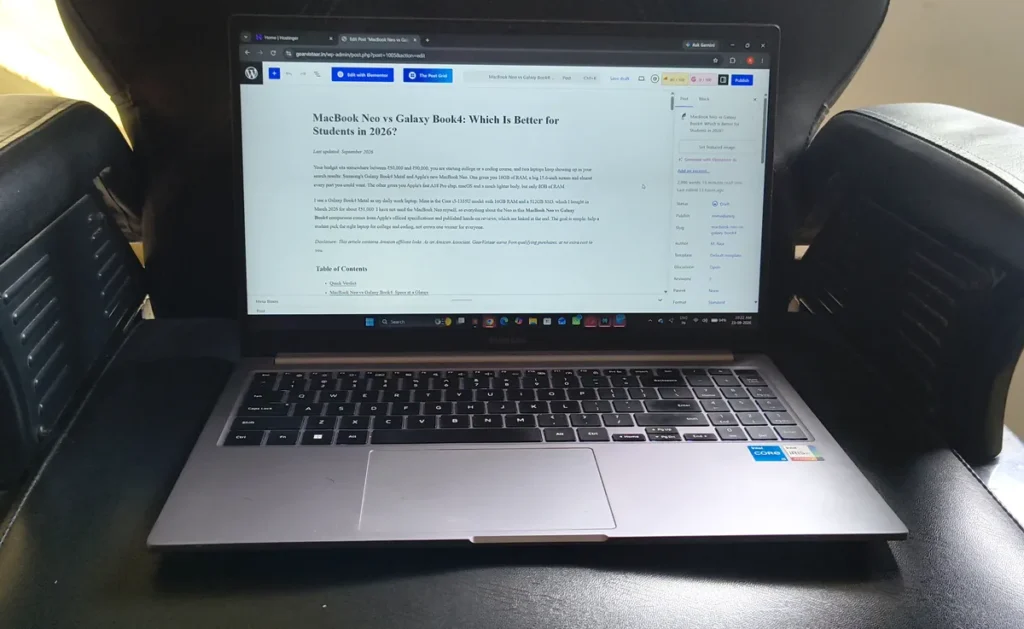
I use a Galaxy Book4 Metal as my daily work laptop. Mine is the Core i5-1335U model with 16GB RAM and a 512GB SSD, which I bought in March 2026 for about ₹51,000. I have not used the MacBook Neo myself, so everything about the Neo in this MacBook Neo vs Galaxy Book4 comparison comes from Apple’s official specifications and published hands-on reviews, which are linked at the end. The goal is simple: help a student pick the right laptop for college and coding, not crown one winner for everyone.
Disclosure: This article contains Amazon affiliate links. As an Amazon Associate, GearVistaar earns from qualifying purchases, at no extra cost to you.
Table of Contents
Quick Verdict
In the MacBook Neo vs Galaxy Book4 matchup, the Galaxy Book4 Metal is the more practical buy for most Indian students who are learning to code. It has double the RAM, runs every Windows-only college tool, has the ports you need in a classroom, and costs far less. The MacBook Neo is the better laptop to carry around all day, lasts longer on a charge, and is the cheapest way to get a Mac for iPhone app development. Its 8GB of RAM, however, is fixed for the life of the laptop.
| Choose the Galaxy Book4 Metal if you… | Choose the MacBook Neo if you… |
|---|---|
| Study CS, IT or engineering and will run heavier tools | Want to build iPhone or iPad apps with Xcode |
| Need Windows-only lab or exam software | Carry your laptop across campus every day |
| Want HDMI, USB-A and LAN without adapters | Want the longest battery life and a silent laptop |
| Have a tighter budget | Already use an iPhone and want them to work together |
MacBook Neo vs Galaxy Book4: Specs at a Glance
This MacBook Neo vs Galaxy Book4 table compares my Galaxy Book4 Metal configuration with the 512GB MacBook Neo, since both have the same storage.
| Feature | Galaxy Book4 Metal | MacBook Neo (512GB) |
|---|---|---|
| Processor | Intel Core i5-1335U (13th Gen, 10 cores) | Apple A18 Pro (6-core CPU: 2 performance + 4 efficiency) |
| Graphics | Intel Iris Xe | 5-core Apple GPU |
| RAM | 16GB LPDDR4X | 8GB unified memory |
| Storage | 512GB SSD | 512GB SSD |
| Display | 15.6-inch Full HD (1920 x 1080), 60Hz, anti-glare, 300 nits | 13-inch (2408 x 1506), 60Hz, 3:2, 500 nits |
| Weight | 1.55 kg | 1.23 kg |
| Battery | 54Wh | 36.5Wh (Apple rates up to 16 hours of video) |
| Ports | HDMI, 2x USB-A, 2x USB-C, microSD, RJ45 LAN, headphone jack | 2x USB-C (one USB 3, one USB 2), headphone jack |
| Secure login | Fingerprint reader | Touch ID |
| Cooling | Fan | Fanless |
| Operating system | Windows 11 Home | macOS Tahoe |
Performance: Fast Bursts vs Steady Work
Performance is where the MacBook Neo vs Galaxy Book4 story gets interesting. The A18 Pro is the same chip family that powers the iPhone 16 Pro, and its biggest strength is single-core speed. In Geekbench 6 results reported by MacRumors, the MacBook Neo scored around 3,500 in single-core and around 9,000 in multi-core. That single-core number is higher than most Intel and AMD laptop chips, which is why reviewers describe the Neo as very snappy when opening apps, browsing and doing everyday work.
Multi-core is a different story. The Neo lands at roughly the level of Apple’s older M1 MacBook Air, and Tom’s Guide found it behind some budget Windows laptops in multi-core tests. It is also fanless. One developer-focused review noted that the chip runs at full speed for the first two to three minutes of heavy work and then slows down to control heat. Short code builds finish quickly, but long builds and video exports take longer than the benchmark numbers suggest.
The Core i5-1335U in the Galaxy Book4 Metal is a 15W U-series chip built for efficiency, not raw power. It is not a gaming or video-editing processor, but it has a fan, so it can hold its speed during longer tasks. For a student writing C, Java or Python programs, running an IDE and keeping a browser full of tabs open, it is comfortably enough. If the U and H suffixes confuse you, our i5 vs i7 laptop guide explains what they mean.
RAM: The Biggest Difference for Coding Students
This is where the MacBook Neo vs Galaxy Book4 debate is really decided for coders. The Book4 Metal has 16GB of RAM. The Neo has 8GB, and there is no option to get more.
macOS manages memory well, and for browsing, documents and light work the Neo feels smooth. But reviewers who used it for development point out that a fresh macOS setup already uses around 5GB, leaving roughly 3GB before the system starts compressing data and swapping it to the SSD. Swap keeps the laptop usable, but it is slower than real RAM. Once you add an IDE, a local server, an Android emulator or a Docker container, 8GB fills up quickly.
One important point: the RAM on both laptops is soldered to the board. You cannot upgrade either one later. That makes the amount you buy on day one a four-year decision for a degree student. Our guides on 8GB vs 16GB RAM and how much RAM a student laptop needs go deeper into this.
Coding: What Works on Each Laptop
| Task | Galaxy Book4 Metal (16GB, Windows) | MacBook Neo (8GB, macOS) |
|---|---|---|
| C, C++, Java and Python basics | Excellent | Excellent |
| Web development (VS Code, Node.js, React) | Excellent | Very good for one project at a time |
| Android Studio with emulator | Good, 16GB handles it | Tight, the IDE and emulator strain 8GB |
| iPhone app development (Xcode) | Not possible, Xcode is Mac-only | Possible |
| Docker, virtual machines, WSL | Workable for light use | Limited, heavy workflows hit the 8GB ceiling fast |
| Windows-only college lab software | Runs natively | Not supported, alternatives needed |
In the MacBook Neo vs Galaxy Book4 coding comparison, the Xcode row matters more than it looks. If you want to build iPhone apps, you need a Mac, and the MacBook Neo is now the cheapest new one. For every other kind of student coding, the extra RAM and Windows compatibility of the Book4 Metal make life easier. Before you buy, check your college syllabus. Some courses still use Windows-only tools for lab work and exams.
Display and Portability
On screen size, the MacBook Neo vs Galaxy Book4 difference is easy to see. The Book4 Metal’s 15.6-inch Full HD screen gives you more room to see code and a browser side by side. At 300 nits it is fine indoors, but it is not a bright panel, so it looks dim near a sunny window. The anti-glare finish helps under classroom lights.
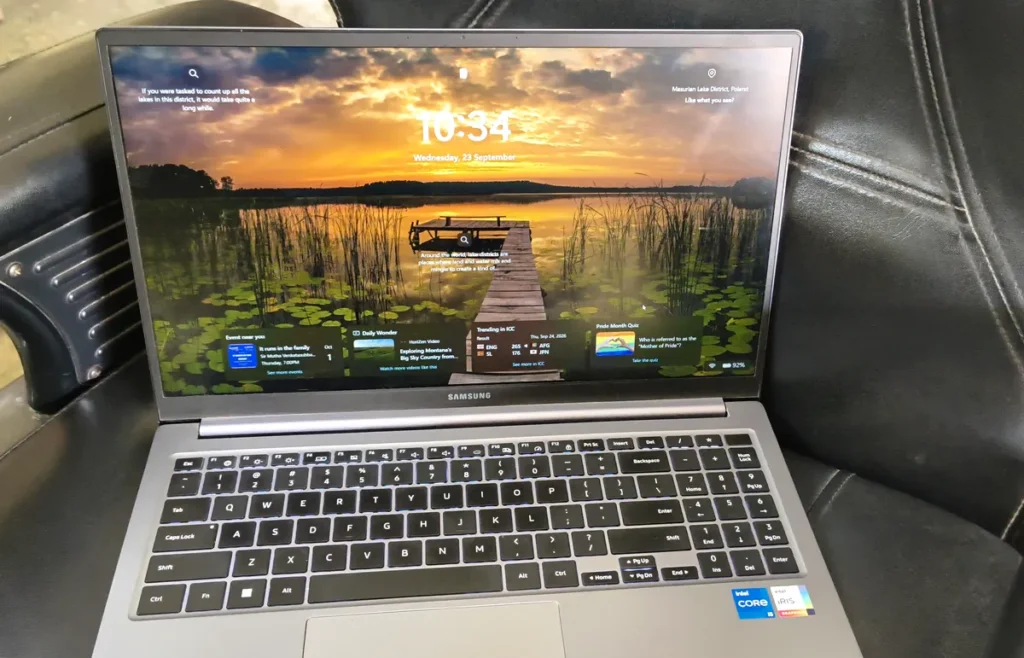
The Neo’s 13-inch screen is smaller but sharper, and at 500 nits it is noticeably brighter. Its 3:2 shape also shows more lines of code than a standard widescreen of the same size. The bigger difference is weight: at 1.23 kg, the Neo is about 320 grams lighter than the 1.55 kg Book4 Metal, and it takes up much less space in a college bag.
Ports: Why They Matter in College
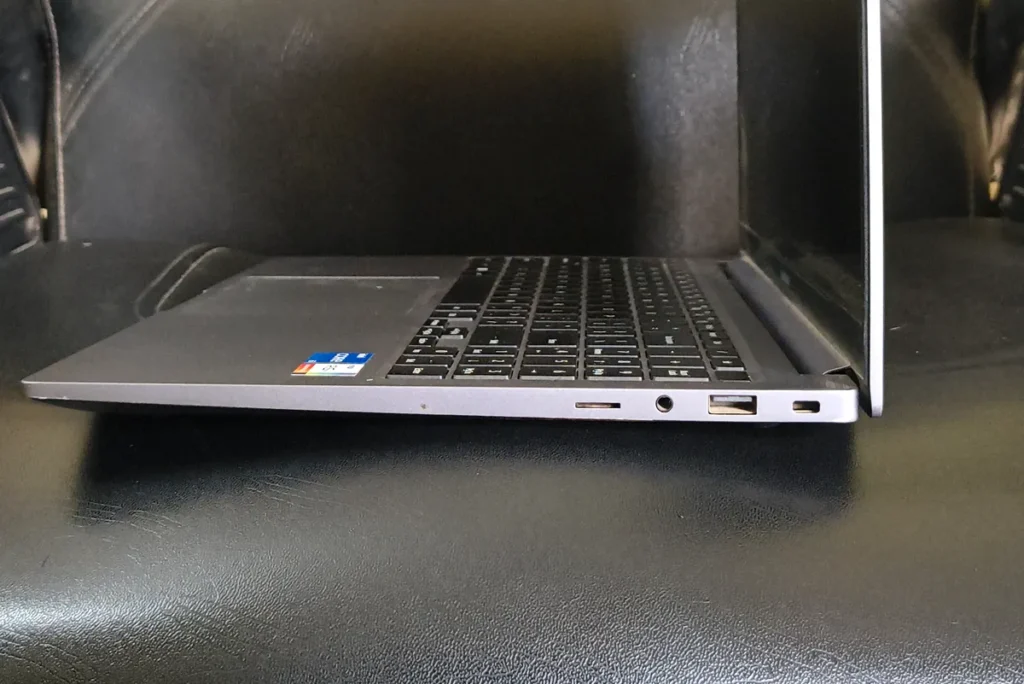
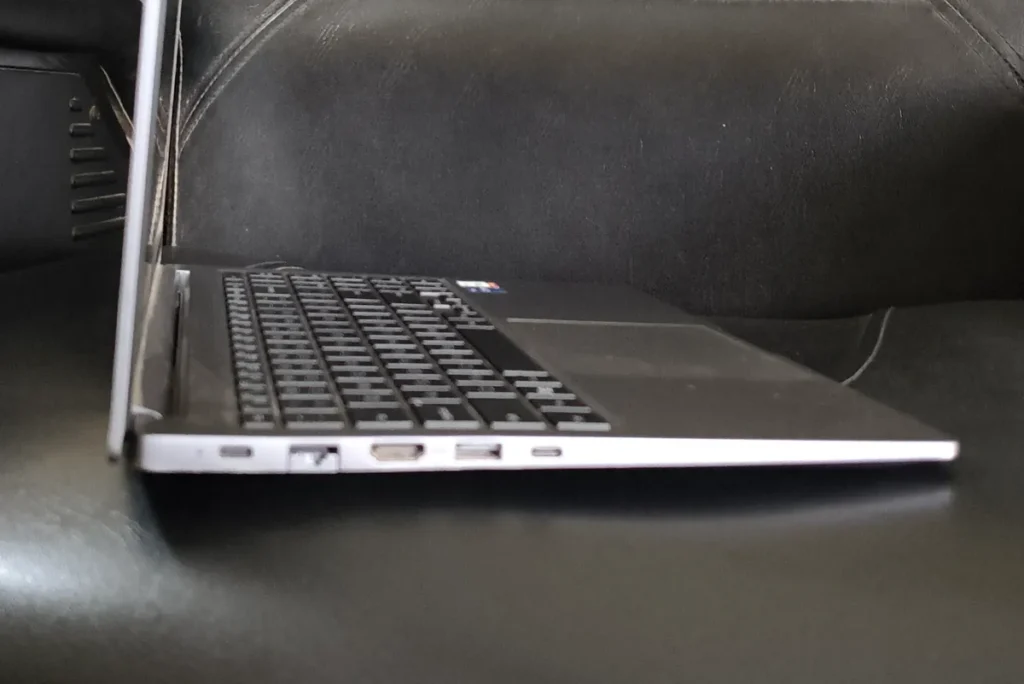
Ports are the easiest win in the MacBook Neo vs Galaxy Book4 comparison, and it goes to the Galaxy Book4 Metal. It has HDMI for plugging straight into a classroom projector, two USB-A ports for pen drives, two USB-C ports, a microSD slot and even an RJ45 port for wired hostel or lab internet. You rarely need a dongle.
The MacBook Neo has two USB-C ports and a headphone jack. Only one of them is a full USB 3 port that supports an external display, and the other runs at slower USB 2 speed. Since one port is often busy charging, most students will end up buying a USB-C hub for projectors, pen drives and external drives. The Neo also supports only one external monitor, at up to 4K 60Hz.
Battery Life
Apple rates the MacBook Neo at up to 11 hours of wireless web browsing and up to 16 hours of video streaming, and reviewers have praised its battery life. Apple’s chips are known for efficiency, so the Neo is the laptop more likely to last a full college day without a charger.
Battery is the one MacBook Neo vs Galaxy Book4 round the Neo clearly wins. The Book4 Metal has a larger 54Wh battery, but an Intel U-series chip and a bigger screen draw more power, so expect less time away from the plug than the Neo. One nice touch: its compact USB-C charger also works with Samsung Galaxy phones, so you can carry one charger for both.
Keyboard, Login and Build
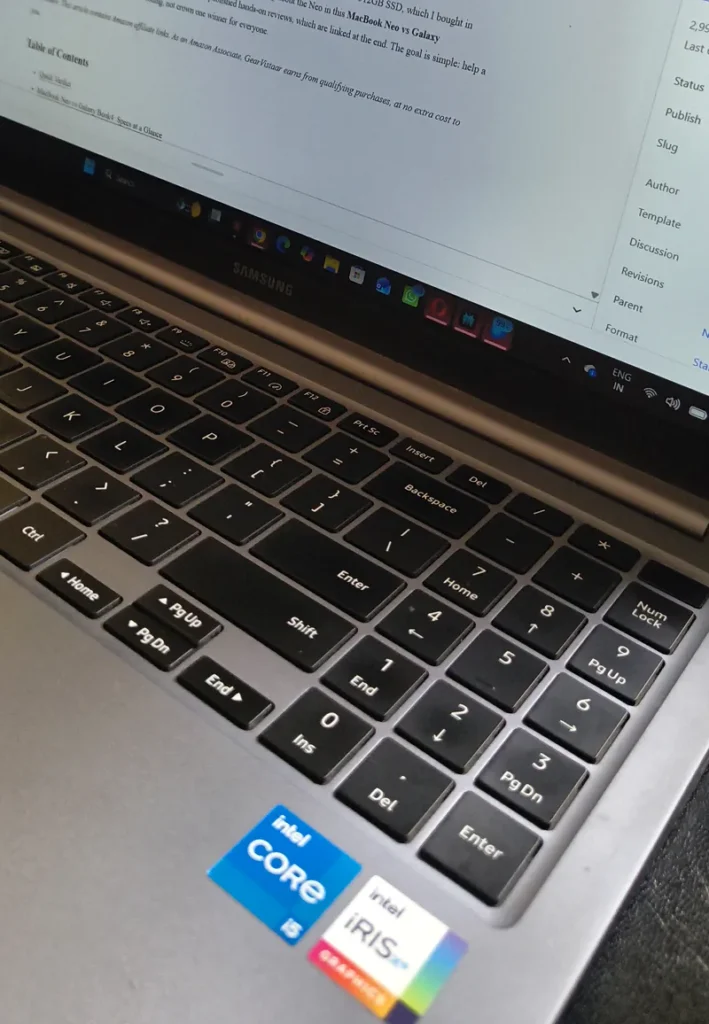
Both laptops have metal bodies and feel premium for their price. The Book4 Metal has a fingerprint reader and a backlit keyboard. On the Neo, Touch ID comes only with the 512GB model, which is one more reason to choose that variant over the 256GB one. Reviews also point out that the base Neo’s keyboard is not backlit, so confirm this feature on Apple’s specification page for the model you pick. The Neo’s trackpad does not have Apple’s Force Touch haptic feedback. Being fanless, the Neo is completely silent, while the Book4 Metal’s fan becomes audible under heavy load.
Price and Value in India
The 512GB MacBook Neo launched in India at ₹79,900. Apple raised Mac prices in June 2026 because of a global memory shortage, and the same model has since been listed at around ₹89,900 on major stores. Apple’s India Education Store offers student pricing, so check it if you have a valid college ID.
I paid about ₹51,000 for my 16GB Galaxy Book4 Metal in March 2026. Laptop prices change often, so treat that as a reference point, not a promise. Even so, the MacBook Neo vs Galaxy Book4 price gap is usually well over ₹25,000. For a student, that difference can cover a year of software, a good backup drive or a big part of the next semester’s fees.
Warranty and Service in India
Both laptops come with a standard one-year manufacturer warranty. Samsung services laptops through its authorised service centres across India, and Apple offers service through its own stores in a few cities, Apple Authorised Service Providers and mail-in repair. If you live in a smaller town, check which authorised centre is closest before you buy. Our guide on how to claim warranty for online purchases in India explains the full process.
Pros and Cons
Here is a quick MacBook Neo vs Galaxy Book4 summary of what each laptop does well and where it falls short.
Samsung Galaxy Book4 Metal
Pros
- 16GB RAM: double the Neo’s memory, with room for IDEs, emulators and many browser tabs
- Full set of ports: HDMI, two USB-A, two USB-C, microSD and RJ45 LAN, so no dongles in class
- Bigger 15.6-inch screen: more space for code and a browser side by side, with an anti-glare finish
- Windows compatibility: runs college lab tools, exam software and Windows-only programs natively
- Lower price: usually costs well over ₹25,000 less than the 512GB MacBook Neo
- Fingerprint reader and backlit keyboard: quick login and easy typing in low light
- Shared charger: the USB-C charger also works with Samsung Galaxy phones
Cons
- Dim display: 300 nits is fine indoors but struggles near bright windows
- Heavier: 1.55 kg is noticeable if you carry it all day
- U-series processor: good for coding and office work, not for gaming or heavy video editing
- Shorter battery life: expect less time away from the charger than the MacBook Neo
- Fan noise: the fan becomes audible under heavy load
- RAM cannot be upgraded: the 16GB is soldered, so choose the right variant at purchase
Apple MacBook Neo (512GB)
Pros
- Very fast single-core speed: apps open quickly and everyday work feels snappy
- Light and compact: 1.23 kg and a 13-inch footprint make it easy to carry across campus
- Bright, sharp display: 500 nits with a 3:2 shape that shows more lines of code
- Long battery life: Apple rates it at up to 11 hours of web browsing and 16 hours of video
- Completely silent: the fanless design makes no noise at all
- Xcode support: the most affordable new Mac for building iPhone and iPad apps
- Works well with iPhone: iPhone Mirroring and AirDrop make the two devices work together
- Touch ID: included on the 512GB model
Cons
- Only 8GB RAM: fixed forever, and heavier coding tools fill it quickly
- Limited ports: just two USB-C ports, one of them at slower USB 2 speed, so a hub is usually needed
- One external display only: up to 4K 60Hz, through a single port
- Slows down in long heavy tasks: the fanless chip reduces speed after a few minutes of sustained load
- Higher price: Apple’s June 2026 price increase widened the gap with Windows laptops
- No Windows software: Windows-only college tools will not run on macOS
Who Should Buy Which?
Buy the Galaxy Book4 Metal if you are…
- A CS, IT or engineering student: 16GB of RAM gives you room for Android Studio, databases and multiple tools at once.
- Dependent on Windows software: college lab tools, exam software and many engineering programs run only on Windows.
- On a tighter budget: you get more RAM and more ports for much less money.
Buy the MacBook Neo if you are…
- Planning to build iPhone apps: Xcode needs a Mac, and the Neo is the most affordable way in.
- A light coder who values portability: web development, Python and coursework run well, and the Neo is easy to carry all day.
- An iPhone user: features like iPhone Mirroring and AirDrop make the two devices work together smoothly.
Neither laptop is built for heavy gaming, 3D work or training machine learning models. If that is your plan, read our guide on how to choose a laptop before buying first.
Final Verdict: MacBook Neo vs Galaxy Book4
For most Indian coding students, the Galaxy Book4 Metal offers better value. It has double the RAM, full Windows compatibility, every port you need in a classroom, and a much lower price. The MacBook Neo is the nicer laptop to carry, lasts longer on a charge, and is the only affordable route to Xcode. But its 8GB of RAM will never change, and coding needs usually grow over a four-year degree. Buy the Neo only if its strengths match the way you actually work.
Official Sources
Specifications for both laptops come from the manufacturers. MacBook Neo performance and usage details come from published reviews, since I have not tested the Neo myself:
- Apple MacBook Neo Technical Specifications
- Samsung India Galaxy Book4 (Core i5, 16GB, 512GB)
- MacRumors MacBook Neo Review Roundup
- Tom’s Guide MacBook Neo vs Budget Windows Laptops Benchmarks
- Six Colors MacBook Neo Review
Frequently Asked Questions
Is the MacBook Neo better for students?
It depends on the course. For students who mainly browse, write assignments and do light coding, the MacBook Neo is excellent thanks to its long battery life and light body. For CS, IT and engineering students who run Android Studio, databases or Windows-only lab software, a 16GB Windows laptop like the Galaxy Book4 Metal is the more practical choice.
What is the Samsung equivalent of the MacBook Neo?
In price and purpose, the closest Samsung options are the Galaxy Book4 and Galaxy Book4 Metal. They offer 16GB RAM variants, a larger 15.6-inch screen and more ports, while the MacBook Neo is lighter, smaller and runs macOS on Apple’s A18 Pro chip.
Is 8GB RAM on the MacBook Neo enough for coding?
For learning C, Java, Python and web development one project at a time, yes. For Android Studio with an emulator, Docker or several heavy tools at once, 8GB fills up quickly and the laptop starts relying on slower SSD swap.
Can I upgrade the RAM on either laptop later?
No. Both the Galaxy Book4 Metal and the MacBook Neo have RAM soldered to the motherboard, so the amount you buy is what you keep for the life of the laptop.
Can I learn iPhone app development on the Galaxy Book4 Metal?
Not with Apple’s official tools. Xcode, which is needed to build and publish iPhone apps, runs only on macOS. You can still learn cross-platform frameworks on Windows, but final iOS builds need a Mac.
Which laptop has better battery life?
The MacBook Neo. Apple rates it at up to 11 hours of web browsing and 16 hours of video streaming, and its efficient chip gives it the edge over the Intel U-series processor in the Book4 Metal.
Does the MacBook Neo support two external monitors?
No. It supports one external display at up to 4K 60Hz, and only through its USB 3 port. The Galaxy Book4 Metal can connect to a monitor or projector directly through HDMI.
Is the 256GB MacBook Neo a better deal for students?
It is cheaper, but it drops Touch ID, and 256GB fills up quickly once you install development tools. Our 256GB vs 512GB SSD guide explains how much storage a student really needs.
Which is better for coding: MacBook Neo vs Galaxy Book4?
For most coding students, the Galaxy Book4 Metal wins the MacBook Neo vs Galaxy Book4 comparison because of its 16GB RAM, Windows compatibility and full set of ports. Pick the MacBook Neo only if you need Xcode for iPhone apps or value portability and battery life above everything else.